Cloudflare DNS-Only vs Proxied: Security Implications
Cloudflare's orange cloud vs grey cloud isn't just about CDN. DNS-only records expose your origin IP and bypass all of Cloudflare's security controls.
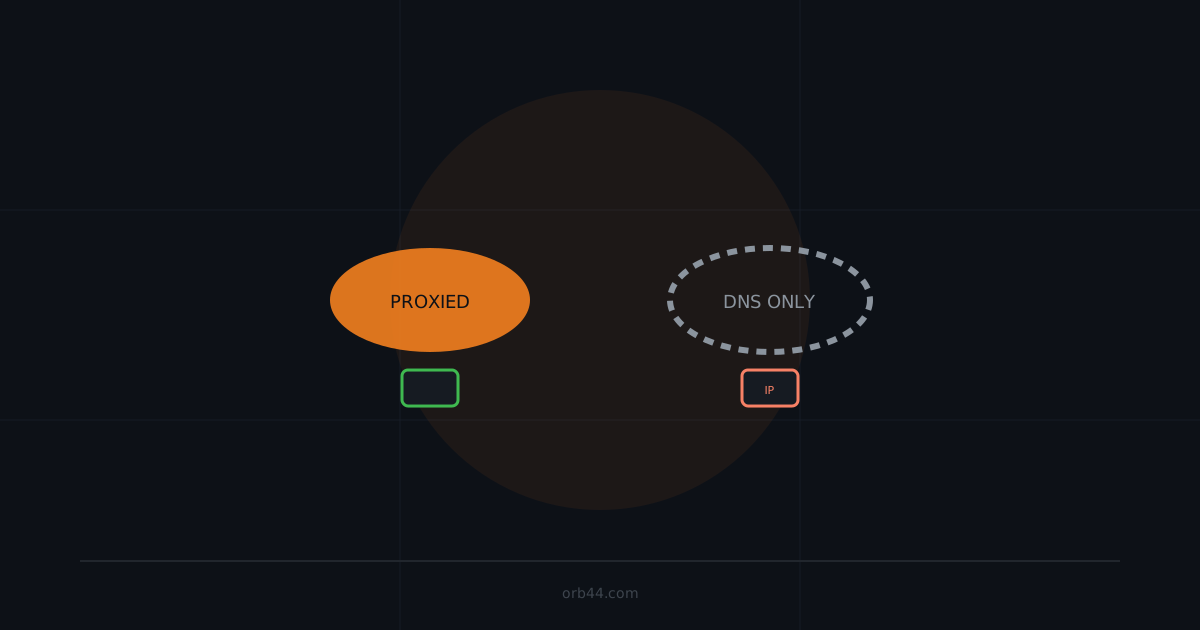
Every DNS record in Cloudflare has a proxy status: orange cloud (proxied) or grey cloud (DNS-only). The distinction matters far more than most operators realize. DNS-only records resolve directly to your origin server's IP, bypassing every security feature Cloudflare offers — DDoS protection, WAF, bot management, rate limiting, SSL termination. Understanding which records are proxied, which can't be, and the security tradeoffs involved is a practical prerequisite for using Cloudflare as a security tool rather than just a CDN.
What the proxy actually does
When a DNS record is proxied (orange cloud), DNS lookup for the hostname returns a Cloudflare anycast IP address — not your origin's IP. All traffic flows:
Client → Cloudflare edge (anycast IP) → [WAF, DDoS, Bot Mgmt] → Your origin serverWhen DNS-only (grey cloud), DNS lookup returns your origin IP directly:
Client → Your origin server (directly, no Cloudflare inspection)For DNS-only records, Cloudflare provides only DNS resolution. None of its L7 security features apply.
Security features lost with DNS-only
- DDoS protection (L3/L4 and L7): Cloudflare absorbs volumetric attacks at its edge; DNS-only records receive attacks directly at your origin
- Web Application Firewall: OWASP rules, custom rules, and managed rulesets only apply to proxied traffic
- Bot management: JS challenges, browser integrity checks, and bot score filtering are unavailable
- Rate limiting: per-IP and per-path rate limits configured in Cloudflare apply only to proxied traffic
- IP reputation blocking: Cloudflare's threat intelligence blocks known malicious IPs only on proxied records
- SSL/TLS management: Cloudflare's free certificate, HSTS enforcement, and TLS 1.0/1.1 blocking are proxy-only features
- Origin IP masking: DNS-only records directly expose your server's IP address
Record types that cannot be proxied
Cloudflare's proxy works at the HTTP/HTTPS level (L7). Record types that carry non-HTTP traffic cannot be proxied:
- MX records: mail exchange records are never proxied (mail servers must be directly reachable on port 25/587/993)
- TXT records: cannot be proxied (no IP address involved)
- NS records: always DNS-only
- SRV records: proxied only when using HTTP/HTTPS ports; most SRV use cases (XMPP, game servers, etc.) require DNS-only
- A/AAAA records for non-HTTP services: any A record hosting an SSH, FTP, SMTP, database, or custom TCP service must be DNS-only
Proxying a non-HTTP service causes connection failures because Cloudflare will attempt to speak HTTP to it. This is why operators sometimes flip records to grey cloud "temporarily" to fix a connectivity issue — and forget to flip them back.
The IP correlation problem
Here's the key security implication: if any A/AAAA record for your domain points directly to your origin server's IP — even a non-HTTP service like mail.yourdomain.com — an attacker can use that record to find the IP and then attack your main web application by connecting to the origin directly.
This matters most when your mail server, VPN endpoint, or legacy FTP server shares the same IP as your web application. The correct architecture separates these:
- Web application origin:
198.51.100.10(proxied through Cloudflare, never in DNS directly) - Mail server:
198.51.100.20(separate IP, DNS-only, MX record points here) - VPN:
198.51.100.30(separate IP, DNS-only)
Cloudflare's partial proxy and Enterprise features
Cloudflare Spectrum (available on paid plans) allows proxying of non-HTTP TCP/UDP traffic — including SSH, game servers, and arbitrary TCP. This enables IP masking for non-HTTP services. Cloudflare Tunnel (available on all plans including free) is the strongest option: the origin never opens an inbound port, so there's no IP to discover.
Practical audit: checking your record proxy status
In the Cloudflare dashboard, the DNS tab shows the proxy status of each record. For a programmatic audit using the API:
# Requires CF_API_TOKEN and ZONE_ID
curl -s -X GET \
  "https://api.cloudflare.com/client/v4/zones/${ZONE_ID}/dns_records?per_page=100" \
  -H "Authorization: Bearer ${CF_API_TOKEN}" \
  -H "Content-Type: application/json" \
  | jq '.result[] | {name: .name, type: .type, proxied: .proxied, content: .content}'
Records where proxied: false and type is A or AAAA directly expose an IP address. Cross-reference these IPs with your web application's origin IP to identify exposure.
Security implications of specific grey-cloud record patterns
mail.yourdomain.com (A/AAAA, DNS-only)
If this IP is the same as your web origin, the origin IP is exposed. Shodan will index it; historical DNS tools will find it; the mail server itself may have open ports that indicate co-hosted services. Fix: use a separate IP for mail infrastructure.
direct.yourdomain.com or origin.yourdomain.com (A, DNS-only)
These subdomains are commonly created for internal monitoring, health checks, or to bypass Cloudflare for administrative access. They're often forgotten after setup. Fix: delete them or move the functionality behind Cloudflare Access.
autodiscover.yourdomain.com (A, DNS-only)
Created by Microsoft Exchange and Office 365 setups, this is a well-known record that DNS-resolves to your mail or internal server infrastructure. An attacker scanning DNS records for your domain will find this automatically. Fix: ensure autodiscover points to Microsoft's servers (autodiscover.outlook.com CNAME) rather than your own infrastructure, or use a separate IP.
Common operational mistakes
- Flipping to grey cloud to debug, forgetting to flip back — add a calendar reminder or use Cloudflare's API to audit proxy status weekly
- Wildcard DNS records (*.yourdomain.com) set to DNS-only — these expose the origin IP for every subdomain that doesn't have a more specific record
- Proxying the A record but not the AAAA record — if your origin has an IPv6 address and the AAAA record is DNS-only, the IPv6 address is publicly exposed
- Not proxying API subdomains because of websocket concerns — Cloudflare supports WebSockets on proxied records; this is no longer a valid reason to use DNS-only
- Assuming DNS-only for non-HTTP means the host is less important — the IP is now public and the host is directly reachable on all ports
Recommended proxy posture
For a typical web application protected by Cloudflare:
- All A/AAAA records for HTTP/HTTPS services: proxied (orange cloud)
- MX records: DNS-only, pointing to a dedicated mail server IP that does NOT host your web application
- TXT records (SPF, DMARC, domain verification): DNS-only (no choice — TXT cannot be proxied)
- Any record for a non-HTTP service: DNS-only, on a separate IP from your web origin
- CNAME records for third-party services (Shopify, HubSpot, etc.): proxied where supported
Orb44 checks your domain's DNS records to identify which subdomains are DNS-only and whether they expose the same IP as your web origin. It reports grey-cloud A records that correlate to known web application servers, giving you visibility into proxy coverage gaps without requiring Cloudflare API access.
FAQ: Does DNS-only mean Cloudflare provides no protection at all?
Correct — for DNS-only records, Cloudflare is acting purely as a DNS resolver and registrar. No traffic passes through Cloudflare's network, so no edge security features apply. The origin receives connections directly from clients (and attackers) on all ports. The only Cloudflare feature that still helps is DNSSEC, if enabled, which protects DNS response integrity but has nothing to do with traffic inspection.
FAQ: Can I use Cloudflare WAF rules to protect a DNS-only subdomain?
No. WAF rules, rate limiting, and all other L7 security features are applied at Cloudflare's edge. If traffic doesn't pass through the edge (DNS-only), none of these rules are evaluated. You would need to implement equivalent protections at the origin server (ModSecurity, nginx rate limiting, application-level WAF) for DNS-only records.
FAQ: What about Cloudflare's free plan — do all these features apply?
DDoS protection, SSL termination, and origin IP masking are available on the free plan for proxied records. WAF with managed rulesets (OWASP, Cloudflare Managed Ruleset) requires Pro or higher. Bot management (Advanced Bot Protection) is an Enterprise feature. Rate limiting on the free plan is limited to one rule with basic configuration. The security gap between DNS-only and proxied exists on all plan levels.